Free Open Source
Export your Apple Notes for Free
Export your iCloud Notes to PDF, Markdown or HTML — back them up, move to Obsidian, Google Keep or open them on Windows and Android. No account. No cloud. Runs entirely on your Mac.
 Download for Mac — Free
Export formats
Export Apple Notes to any format you need
Apple Notes Exporter converts your notes into open, portable formats so you're never locked into one ecosystem. Choose the format that fits your workflow.
Apple Notes to PDF
Print, archive or share any note as a PDF. Ideal for scanned documents and formal records you want to keep forever.
Apple Notes to Markdown
Get clean .md files with your folder structure preserved. Ready to drop into Obsidian, Notion, Bear, Logseq or any text editor.
Apple Notes to HTML
Export to HTML for maximum compatibility. Open your notes in any browser on any device — Windows, Android or Samsung.
Use cases
Leaving Apple? Your notes come with you.
Whether you're switching to Android, moving your second brain to Obsidian, or just want an offline backup, Apple Notes Exporter gets your data out — fast.
Obsidian
Export to Markdown with folder structure intact.
Google Keep
Migrate notes via HTML or Markdown export.
Windows PC
PDF and HTML open natively on any Windows machine.
Android & Samsung
Move to Android without losing your notes.
Notion
Import Markdown files into Notion pages directly.
Backup & Archive
Create a local, offline archive of every note as PDF.
How it works
Export your notes in three steps
The whole process takes less than a minute. No account, no subscription, nothing uploaded to any server.
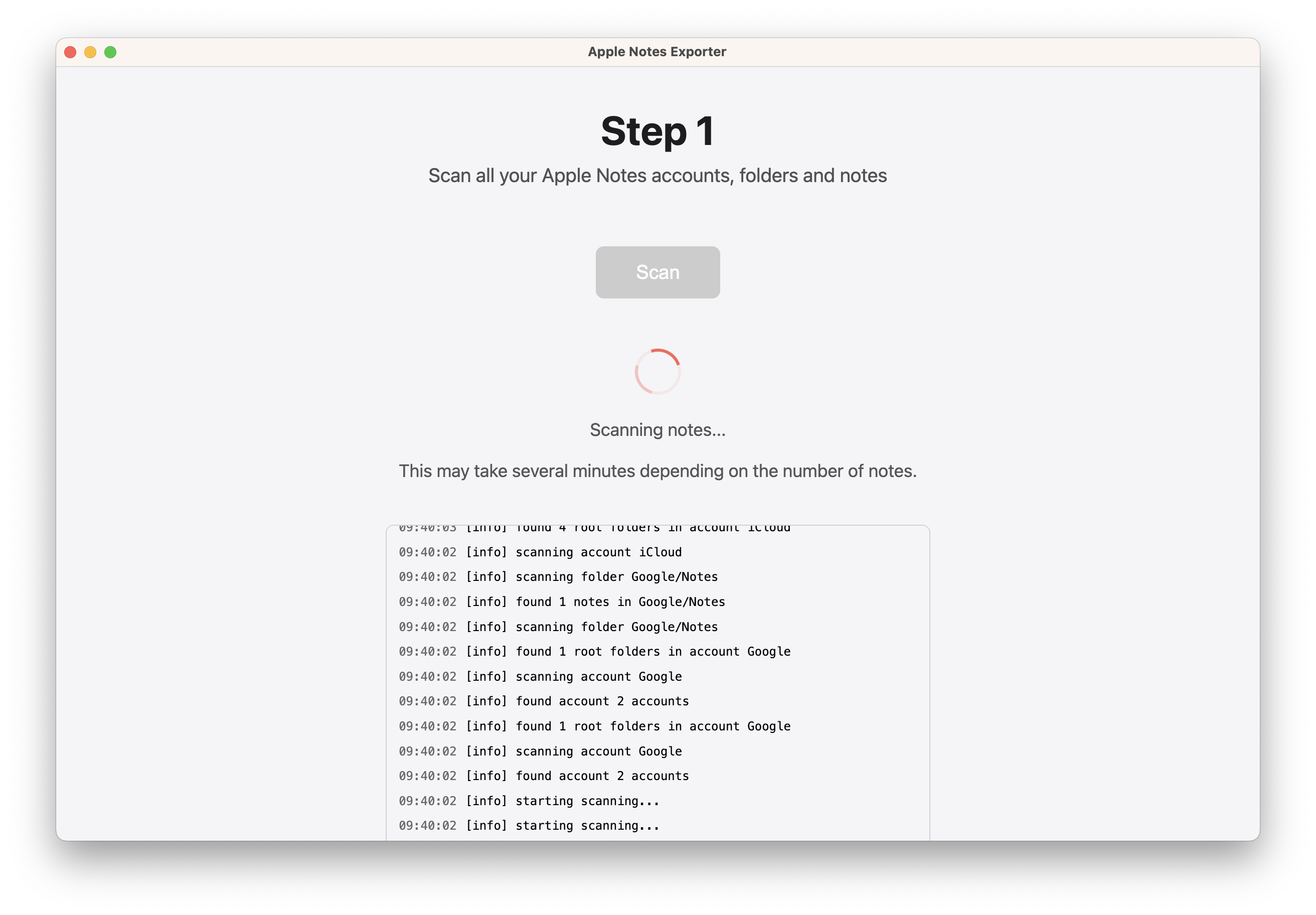
Scan your Apple Notes library
Open the app and let it scan all your notes and iCloud folders automatically. No configuration needed.
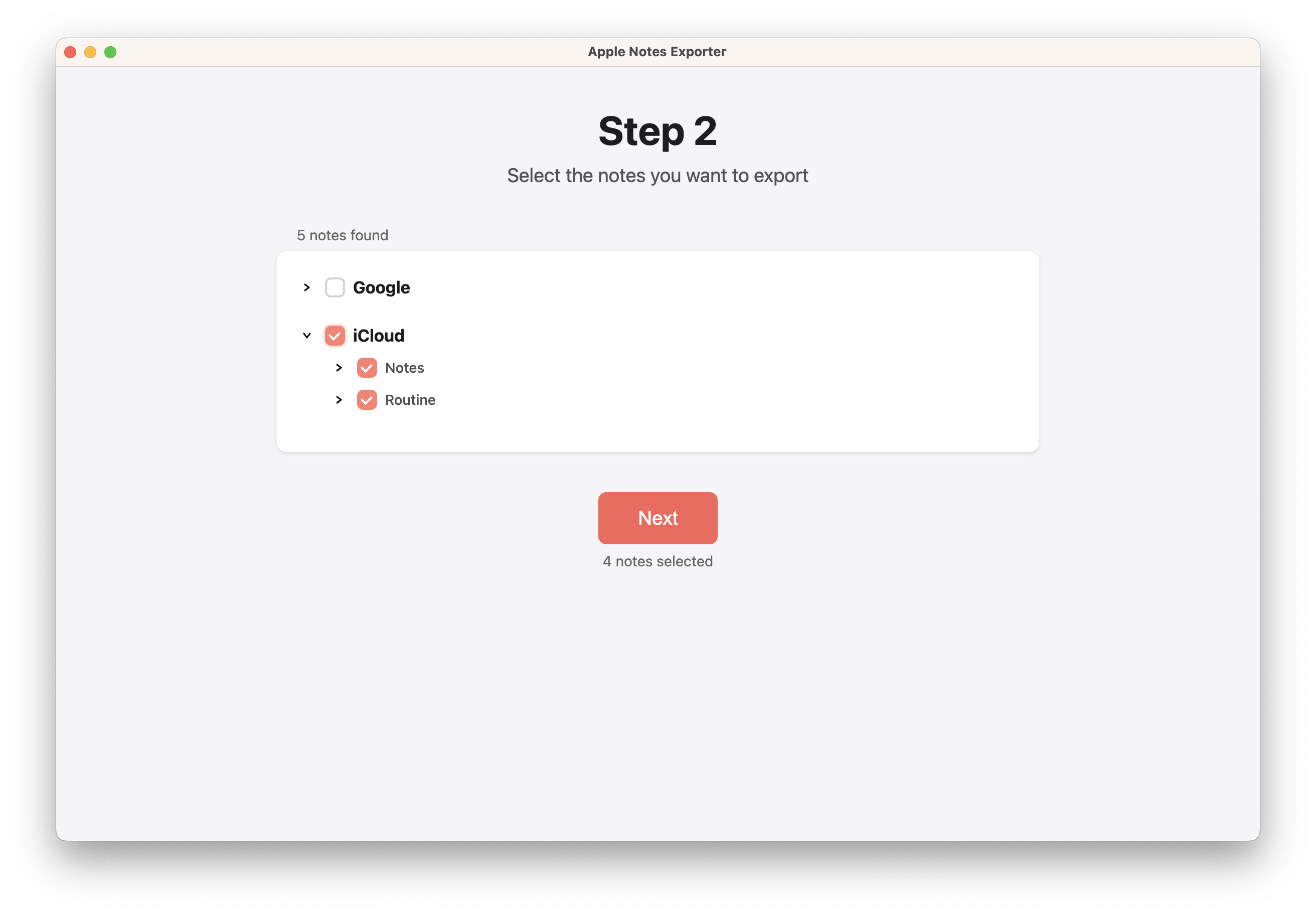
Select the notes you want to export
Browse your folders, search, and select individual notes or entire folders. Export everything or just a specific set.
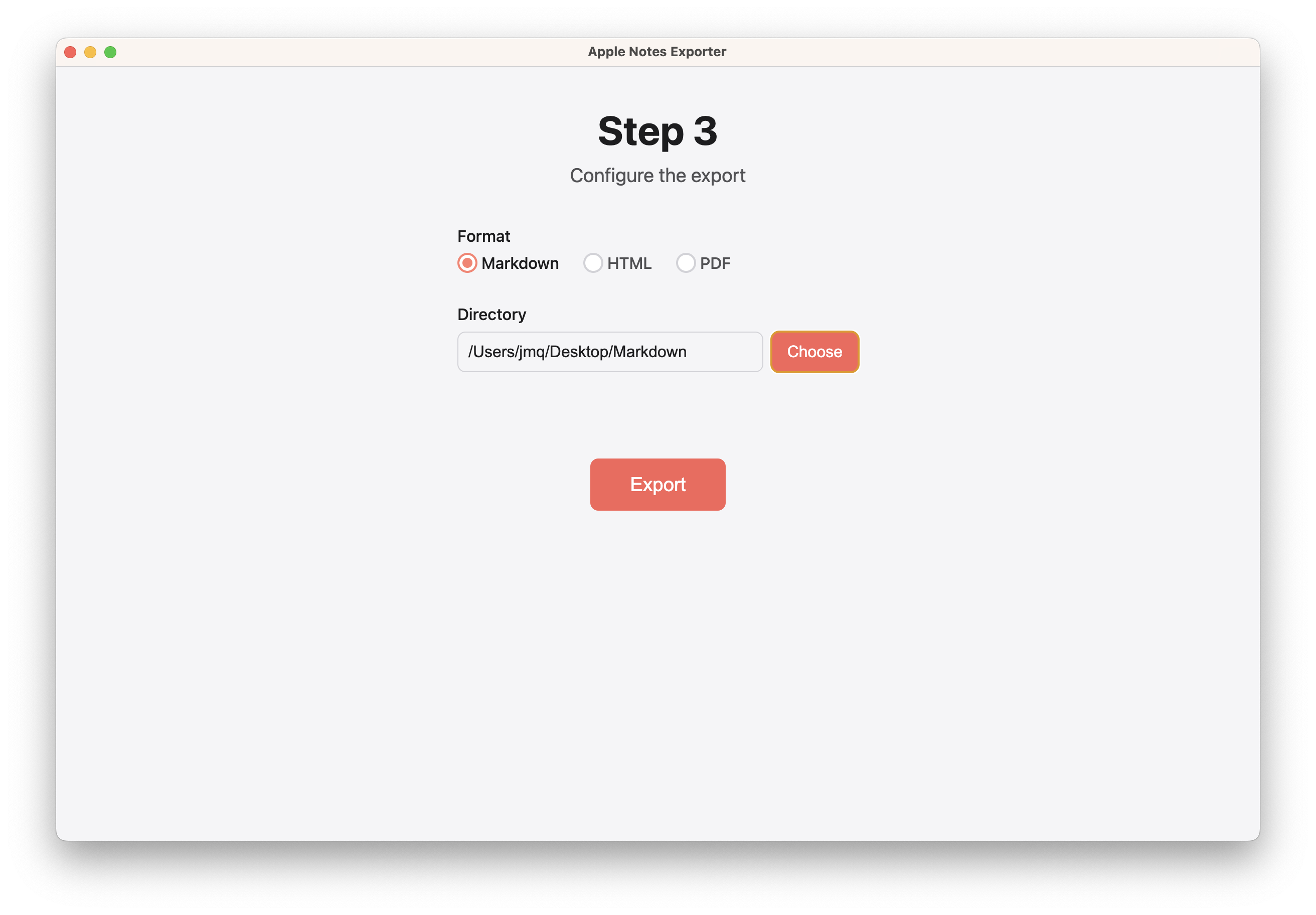
Choose your format and export
Pick PDF, Markdown or HTML and choose a destination folder. Your notes are saved locally — nothing is sent to any server.
FAQ
Frequently asked questions
Ready to export your notes?
Free, open-source, and takes less than a minute to get started.